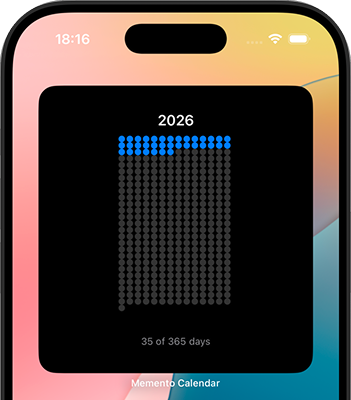
Your year, in perspective
A day becomes a dot. A year becomes a picture. See the time that has passed and the space still ahead.
For iPhone
Your days. A little perspective.

See your year, month, week, or a chapter of your own as a grid of days. Filled dots show the days behind you. Open dots show the days ahead. A quiet view of time, on your iPhone and your Home Screen.
for every day
at a glance
just open and explore
A day becomes a dot. A year becomes a picture. See the time that has passed and the space still ahead.
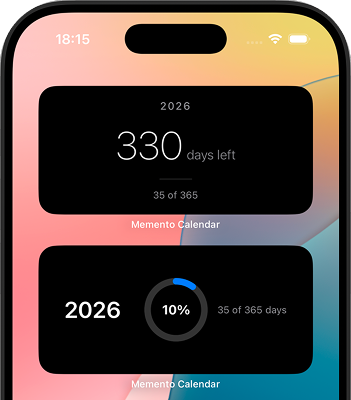
Bring your timeline to the Home Screen. A grid, a ring, or the days remaining — a little perspective without opening the app.
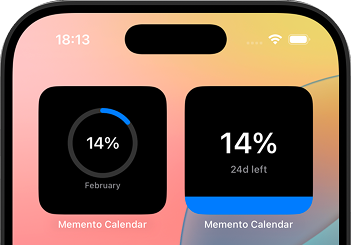
Choose the view that makes sense to you. The same days, seen as a grid, a circle, or a countdown.
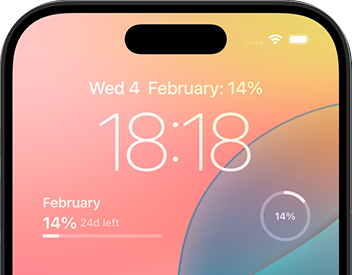
A small reminder of the bigger picture, right on your Lock Screen. Your time stays visible.
Try a year, a month, or a week. Every dot belongs to a day.
This preview follows your local date. In the app, you can also create timelines for your own date ranges.
Each dot is one day
Memento is for noticing, reflecting, and seeing where you are. Your timelines stay on your device. There is no streak to keep and no pressure to check in.
A year, a season, a project, a date that matters. Keep the timelines you want to see.
Light and dark appearances, preset colors, and simple ways to look at the same days.
Yes. You can download Memento for free. Optional Pro purchases are available in the app; current plans and prices are shown before you buy.
No. Your timelines and settings are stored on your device.
A year, a month, a week, or a custom date range. Choose a timeline that means something to you.
Touch and hold your Home Screen, open the widget gallery, and search for Memento Calendar. Choose a widget and add it to your screen.
Email stoic-calendar@forvibe.app for questions or feedback.
Free to download. For iPhone.